
Introduction
Choosing the best WiFi extender for Xfinity can significantly enhance your internet experience by extending coverage to areas where signals may be weak. Best WiFi extenders for Xfinity are a cost-effective solution, especially for Xfinity users who don’t want to switch to a mesh system. They work seamlessly with Xfinity’s gateways, like the XB8, improving connectivity in hard-to-reach spaces.
Why Use a WiFi Extender with Xfinity?
For users who experience WiFi dead zones, an extender is an ideal solution. WiFi extenders boost the existing signal, improving speed and range. Unlike a complete router upgrade, a WiFi extender is simple to set up and cost-effective. Xfinity gateways, while capable, often lack the range to cover large homes fully.
Best WiFi Extenders for Xfinity
Below are some of the best WiFi extenders for Xfinity, chosen for their signal quality, range, device capacity, and ease of setup.
| WiFi Extender | Coverage Area | Device Capacity | Speed Capacity | WiFi Standard |
| TP-Link RE715X | 1,700 sq. ft. | 50 devices | Up to 3,000 Mbps | Wi-Fi 6 |
| ASUS RP-AX58 | 2,200 sq. ft. | 40 devices | Up to 3,000 Mbps | Wi-Fi 6 |
| TP-Link RE650 | 4,900 sq. ft. | 34 devices | Up to 2,600 Mbps | Wi-Fi 5 |
| Linksys RE7000 | 2,500 sq. ft. | 30 devices | Up to 1,900 Mbps | Wi-Fi 5 |
| Tenda A33 | 2,100 sq. ft. | 20 devices | Up to 3,000 Mbps | Wi-Fi 6 |
TP-Link RE715X – Best Overall WiFi Extender for Xfinity
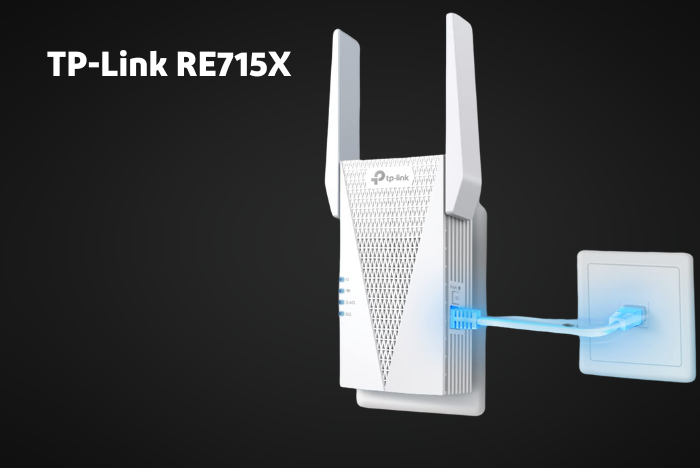
The TP-Link RE715X is an excellent choice for users seeking top performance. Equipped with Wi-Fi 6 and a dual-band AX3000 capacity, this extender supports high-bandwidth activities like gaming and streaming without interruptions.
- Coverage: 1,700 sq. ft.
- Device Capacity: 50 devices
- Speeds: Up to 3,000 Mbps
- Additional Features: OneMesh support for seamless roaming
Why Choose TP-Link RE715X?
Its exceptional coverage and high-speed support make it ideal for large spaces and demanding tasks. The OneMesh technology ensures a stable signal across rooms, preventing signal drops when moving around.
ASUS RP-AX58 – Runner-Up for Xfinity
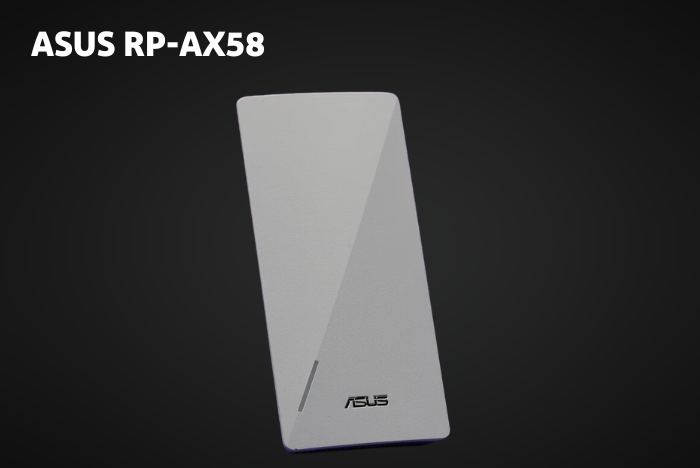
ASUS RP-AX58 offers a robust Wi-Fi 6 connection with AX3000 speeds and extended coverage. With AiMesh technology, it creates a single, seamless network, eliminating the need to switch networks as you move through the house.
- Coverage: 2,200 sq. ft.
- Device Capacity: 40 devices
- Speeds: Up to 3,000 Mbps
- Extra Feature: AiMesh compatibility
Why Choose ASUS RP-AX58?
This model is ideal for larger homes and provides a strong, stable connection for activities like streaming and gaming. Its extensive range and AiMesh feature make it a valuable choice at a competitive price.
TP-Link RE650 – Best for Long Range
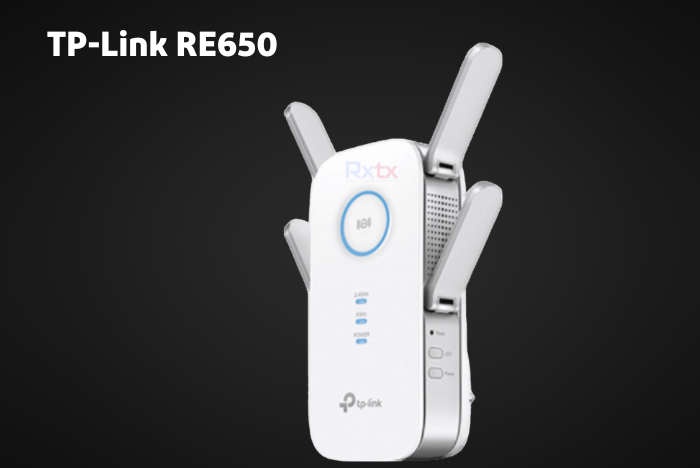
TP-Link RE650 is a high-performing WiFi extender that covers large spaces and multiple devices. It operates on the Wi-Fi 5 standard but compensates with excellent range and connectivity for homes with mid-range Xfinity plans.
- Coverage: 4,900 sq. ft.
- Device Capacity: 34 devices
- Speeds: Up to 2,600 Mbps
- Additional Features: OneMesh compatible
Why Choose TP-Link RE650?
Its long-range capabilities make it ideal for homes with challenging coverage areas, like basements and garages. Although it lacks Wi-Fi 6, it performs reliably for most users’ needs.
Linksys RE7000 – Best for Home Use
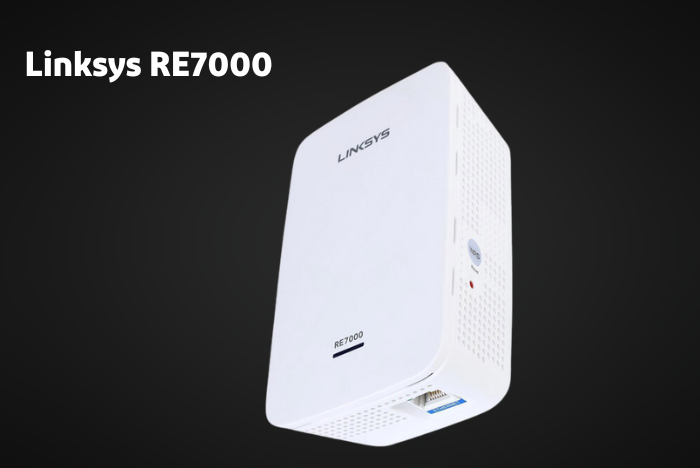
For users seeking a budget-friendly option with stable performance, the Linksys RE7000 is ideal. It delivers consistent coverage for small to medium-sized homes, handling multiple devices with ease.
- Coverage: 2,500 sq. ft.
- Device Capacity: 30 devices
- Speeds: Up to 1,900 Mbps
- Unique Features: MU-MIMO support for stable connections
Why Choose Linksys RE7000?
The Linksys RE7000 offers decent coverage, making it ideal for small businesses or households. Its MU-MIMO support helps keep multiple connections stable, even when handling high-demand activities.
Tenda A33 – Best Value for Money
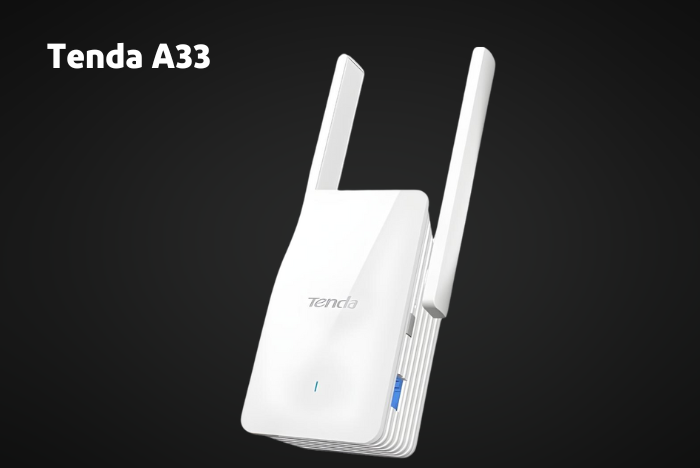
The Tenda A33 offers Wi-Fi 6 capabilities at an affordable price. With decent speeds and device support, it’s a practical choice for budget-conscious users needing basic WiFi coverage improvements.
- Coverage: 2,100 sq. ft.
- Device Capacity: 20 devices
- Speeds: Up to 3,000 Mbps
Why Choose Tenda A33?
Its balance of price and performance makes it ideal for home offices, online studies, and everyday browsing. However, it may struggle with heavy gaming and high-resolution streaming.
Key Features to Look for in a WiFi Extender for Xfinity
When selecting a WiFi extender, certain features are essential to ensure compatibility and performance with Xfinity:
- Wi-Fi Standard: Wi-Fi 6 (802.11ax) provides faster speeds and improved device handling.
- Coverage Area: Consider the extender’s range relative to your home’s size and layout.
- Device Capacity: A high device capacity is important for households with multiple connected devices.
- Mesh Compatibility: Some extenders offer mesh support, creating a unified network with seamless roaming.
- Ethernet Port: A Gigabit Ethernet port can provide a stable wired connection, ideal for gaming.
Firmware Updates, Security, and Long-Term Reliability
One often overlooked factor when choosing a WiFi extender for Xfinity is firmware support and security updates. Reputable brands regularly release firmware updates that improve stability, fix bugs, and patch security vulnerabilities that could expose your network to threats.
Since WiFi extenders act as an access point to your home network, outdated firmware can become a weak link. Choosing an extender with ongoing manufacturer support ensures better long-term performance, stronger protection against unauthorized access, and smoother compatibility with future Xfinity gateway updates.
Why WiFi Extenders are Ideal for Xfinity
WiFi extenders are particularly effective for Xfinity customers, as they are compatible with Xfinity’s range of routers, allowing users to boost their existing setup without needing a complete overhaul. This is especially beneficial for users who have stable Xfinity service but need extended coverage.
Installation and Setup Tips
Installing a WiFi extender is straightforward. Most models only require placement near the router for setup, followed by relocating the extender to an area just within the router’s range. This placement ensures the strongest possible signal.
For Xfinity users
- Use the WPS button: Most extenders support WPS (Wi-Fi Protected Setup) for an easy connection.
- Customize network names: Some extenders create separate networks. If desired, rename the network for clarity.
Pros and Cons of Using a WiFi Extender with Xfinity
Pros
- Improved Coverage: Extends signal to cover more areas in the home.
- Cost-Effective: More affordable than a new router or mesh system.
- Easy Setup: Most extenders require minimal setup and configuration.
Cons
- Speed Reduction: Extenders may reduce maximum speeds slightly.
- Limited Range: Not as effective as mesh networks for entire-home coverage.
- Dependent on Router Quality: Extender performance relies on the quality of the main router.
Mesh System vs. WiFi Extender: Which is Better for Xfinity?
While WiFi extenders are excellent for single rooms or moderate coverage needs, a mesh system may be better suited for large homes with multiple floors or layouts with many obstacles. Mesh systems create seamless, whole-home coverage but are typically more expensive than extenders.
Conclusion: Finding the Best WiFi Extender for Xfinity
For Xfinity users, choosing the best WiFi extender can help eliminate dead zones and enhance internet performance without replacing the router. The TP-Link RE715X stands out as the best overall option due to its high speeds, wide coverage, and mesh compatibility. For those with budget constraints, the Tenda A33 offers solid performance at an affordable price.
Each extender listed here offers unique benefits, allowing you to select the one that best meets your needs and improves your Xfinity internet experience.
Apart from that if you want to know about “HP LASERJET M209DW” then please visit our “Tech” Category.
FAQs
Xfinity has Unlimited Data plans available.
Xfinity now offers plans with speeds up to 2,000 Mbps (2 Gbps), making its top tiers the best options for high-speed needs.
Follow some steps: move closer to the gateway, place the gateway properly, minimize interference, restart the gateway, and use Xfinity’s troubleshooting tool.